SkyVault Editor

Turn raw video into stunning, automated edits with your branding.

Import the raw video and choose a template. SkyVault builds the first cut, photos, Social Clip or CDNB teaser. Your editor approves the finished work.
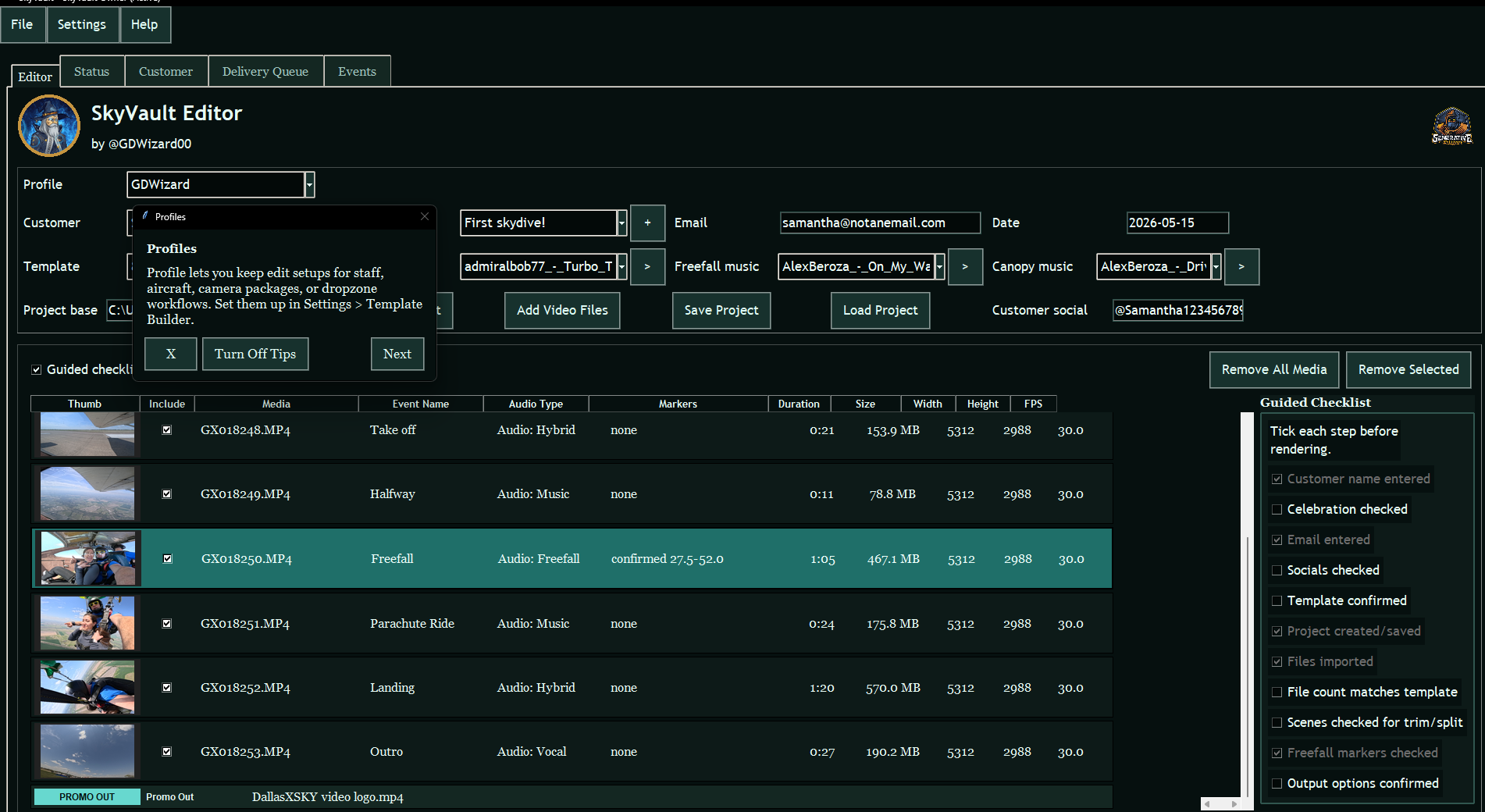
One customer project Video, photos, Social Clips, CDNB, USB and online delivery.
Owner control Templates, branding, music, overlays, and retention rules.
Token-based Use tokens for completed outputs. No monthly subscription is required.
SkyVault Editor with customer details, media rows, pre-render checks and output controls
More than a timeline

Finish more customer media in less time.

Import the raw video, check the first cut, add your branding and deliver the customer’s package. Your editor stays in charge.

Start with a first cut, not a blank timeline

Your template already knows the usual scene order, music, fades, photos and output settings.

Make every part of the package

Create the full video, photos, Social Clip, CDNB teaser or USB copy from the same customer project.

See what is finished

The customer project shows what rendered, what was delivered and what still needs attention.

Full video

Deliver a polished, professional edit.

The template builds the first cut around the jump markers, music and overlays. Your editor reviews it before the final render.

Open full video example
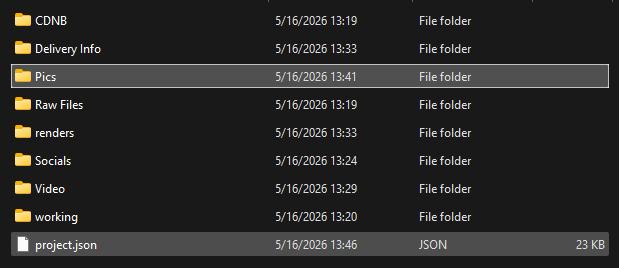
SkyVault customer folder architecture with CDNB, delivery info, pictures, raw files, renders, socials, video, working files, and project JSON
Customer folders

Stop losing finished work in improvised folders.

Each customer gets one folder for the source files, finished media, delivery details and SkyVault project.
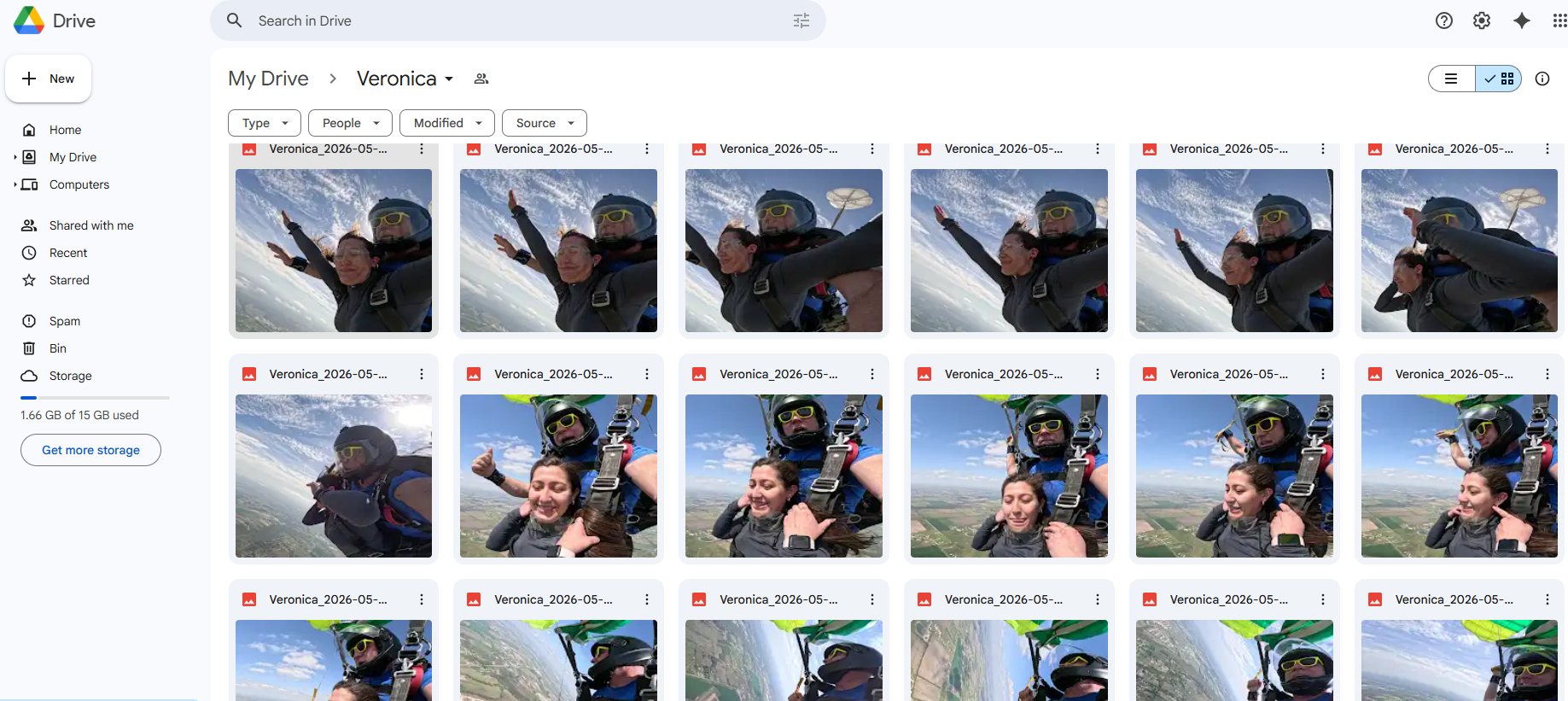
Customer still photos delivered in Google Drive
Google Drive stills

Photo delivery without hunting through folders.

Send the captured stills to the customer through your dropzone’s Google Drive account.
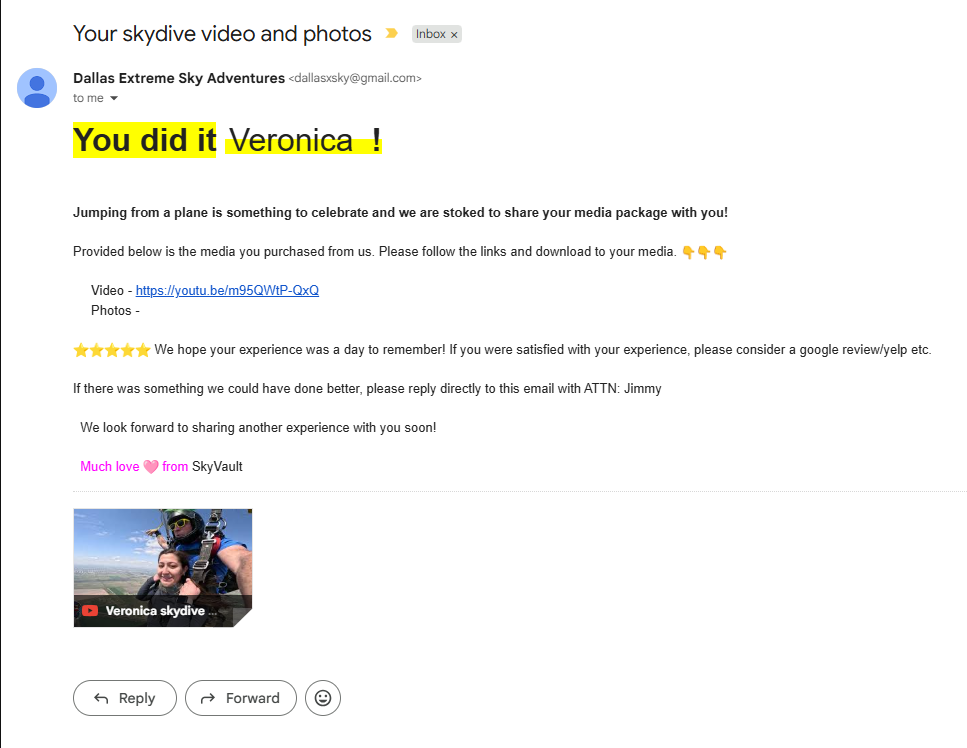
Gmail delivery template with video and photos links
Gmail delivery

Send consistent delivery emails without rewriting the message.

Reusable Gmail templates can include video links, photo links, review prompts, customer names, and dropzone-specific delivery language.
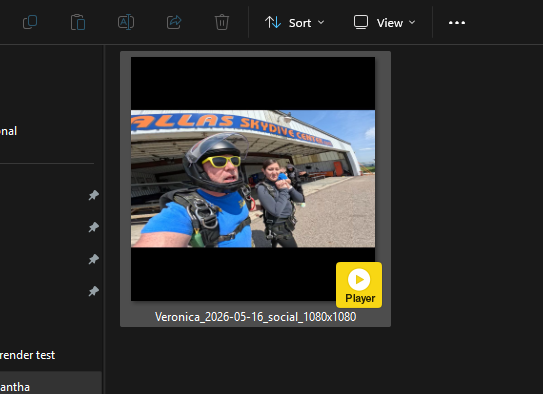
SkyVault social media video output preview
Social video

Create a vertical social clip from the same edit.

Give the customer a short clip ready for the social channels your dropzone supports.

CDNB teaser

Give non-buyers a short preview of their jump.

For students who leave without buying, SkyVault creates a short teaser for follow-up.

Open CDNB example
Use cases

One customer project. Every output they bought.

The full edit, photos, Social Clip, CDNB teaser and delivery record all belong to the same job.

Student video delivery

  • Edited full video with branded naming and customer folders.
  • Still photo capture tuned by template and freefall timing.
  • Delivery records for YouTube, Drive, Gmail, USB, and upload-later flows.

Social Clips and CDNB follow-up

  • Vertical social clips generated from the same customer project.
  • CDNB means Customer Did Not Buy: teaser output for students who did not purchase on the day.
  • Keep the teaser available for follow-up after the jump.

Owner branding

  • Logo, watermark, intro/outro promo, and overlay rules.
  • Templates for different staff, camera packages and aircraft.
  • Default owner templates ready out of the box.

Finish jobs when delivery needs attention

  • Retry a delivery that did not finish.
  • Render quality checks before tokens are consumed.
  • Keep the job details support needs to diagnose a failed render or delivery.
How it works

Load the footage. Check the edit. Send the package.

SkyVault gives the editor a clear order for the job and keeps the customer details with it.

1

Create

Choose the customer, jump date and template.

2

Import

Add the raw video files and confirm the likely freefall markers.

3

Review

Check the cut, music, photos, overlays and customer details.

4

Render

Create the video, photos, Social Clip, CDNB teaser or USB copy that was selected.

5

Deliver

Send the files through the selected service and keep the delivery record with the job.

Built for the video desk

Faster for experienced editors. Easier to learn for new staff.

The customer, footage, template and delivery status are all on the same project. Staff spend less time hunting for files or asking what comes next.
  • Scene rows show event names, audio behavior, duration, file size, resolution, and frame rate.
  • Owner settings cover storage, import, branding, overlays, output defaults, delivery, retention, and still photos.
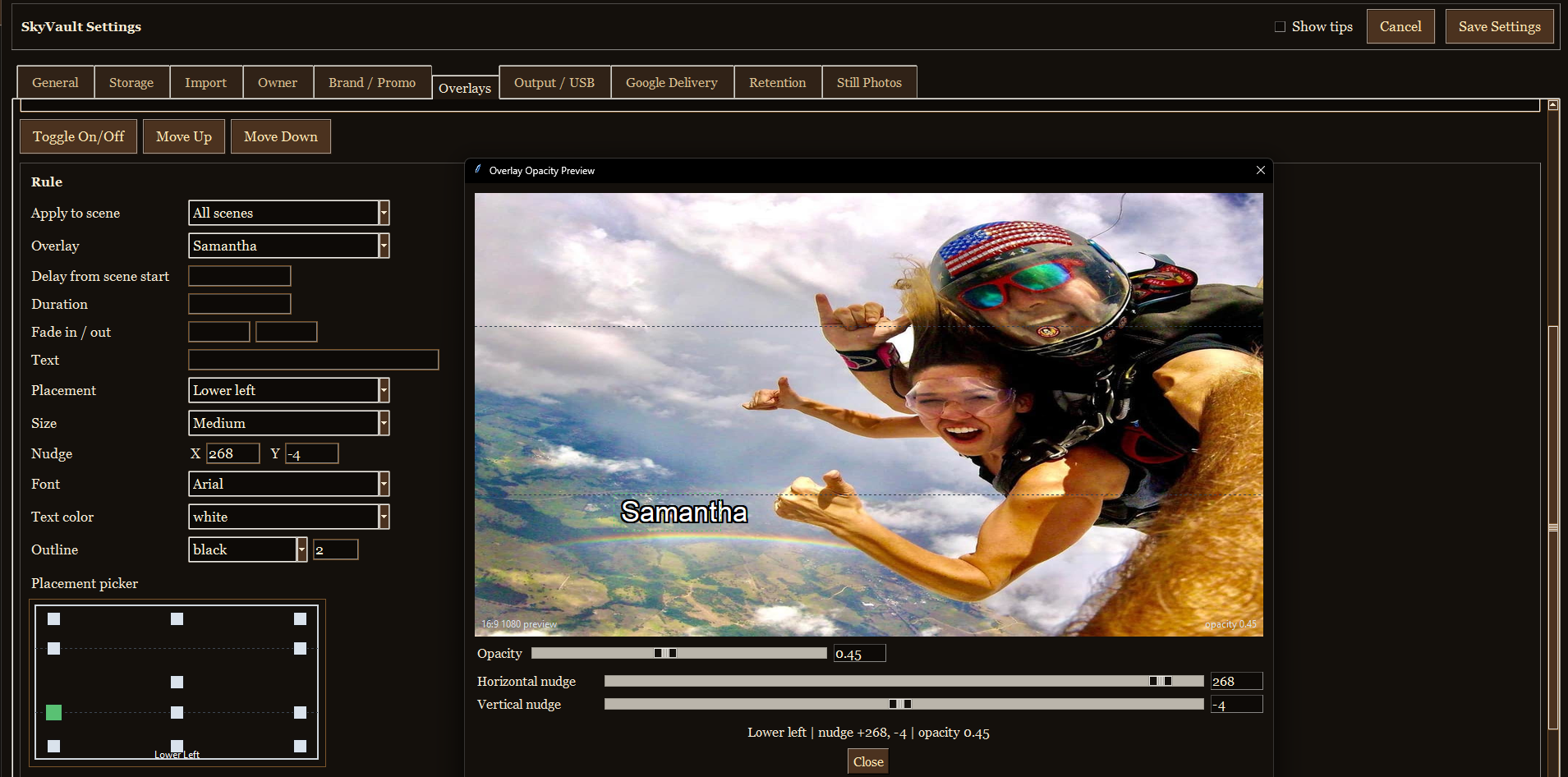
  • Overlay previews let the owner position customer text, logos, and watermarks before render time.
SkyVault editor with customer project loaded
Main editor with customer details, media list, pre-render checks and output controls.
SkyVault overlay settings and preview window
Overlay configuration and preview for customer text placement, sizing, opacity, and nudge controls.
Simple commercial model

$1 per token.

Minimum purchase is 50 tokens. Tokens are used for successful SkyVault outputs and delivery actions.

View pricing

Output costs

Full edited video3 tokens
Photos1 token
Social Clip2 tokens
CDNB Teaser1 token
Delivery bundle2 tokens
Consistency under pressure

Catch mistakes before you render.

The pre-render checks flag missing customer details, unconfirmed freefall markers, wrong outputs and forgotten delivery steps.

Pre-render checklist

Confirm the customer, template, imported files, markers, scenes and output choices before rendering.

Render preflight

SkyVault checks the required inputs before rendering. Failed renders and delivery attempts do not use output tokens.

Owner defaults

Set storage, templates, photo rules, branding, delivery and retention once for the team.

CDNB Create a Customer Did Not Buy teaser for follow-up after the jump.
Tokens Tokens are charged for successful outputs and delivery actions.
Templates Owner-controlled scene, audio, output, and still-photo defaults.
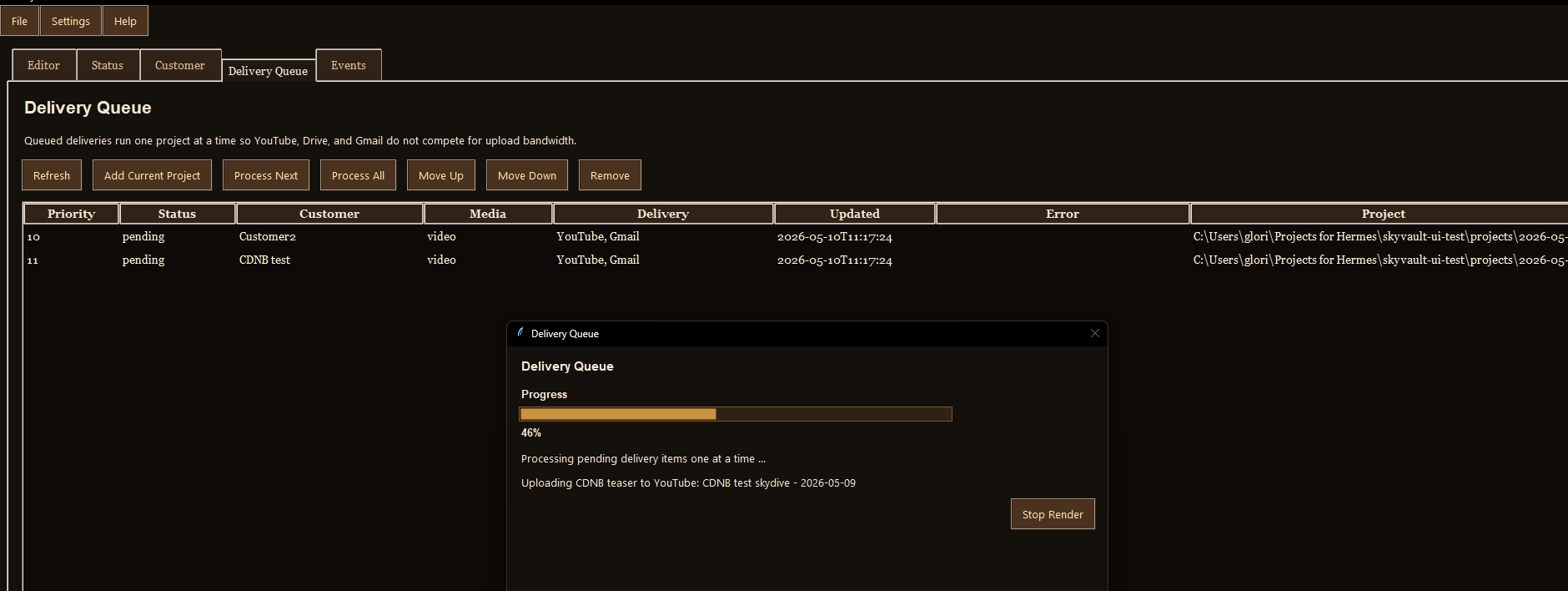
Delivery Queue, retry, Gmail, YouTube, Drive, USB, and delivery records.
More value from every project

Get more from every jump.

Make the customer’s full package, short social video and follow-up teaser from one project.
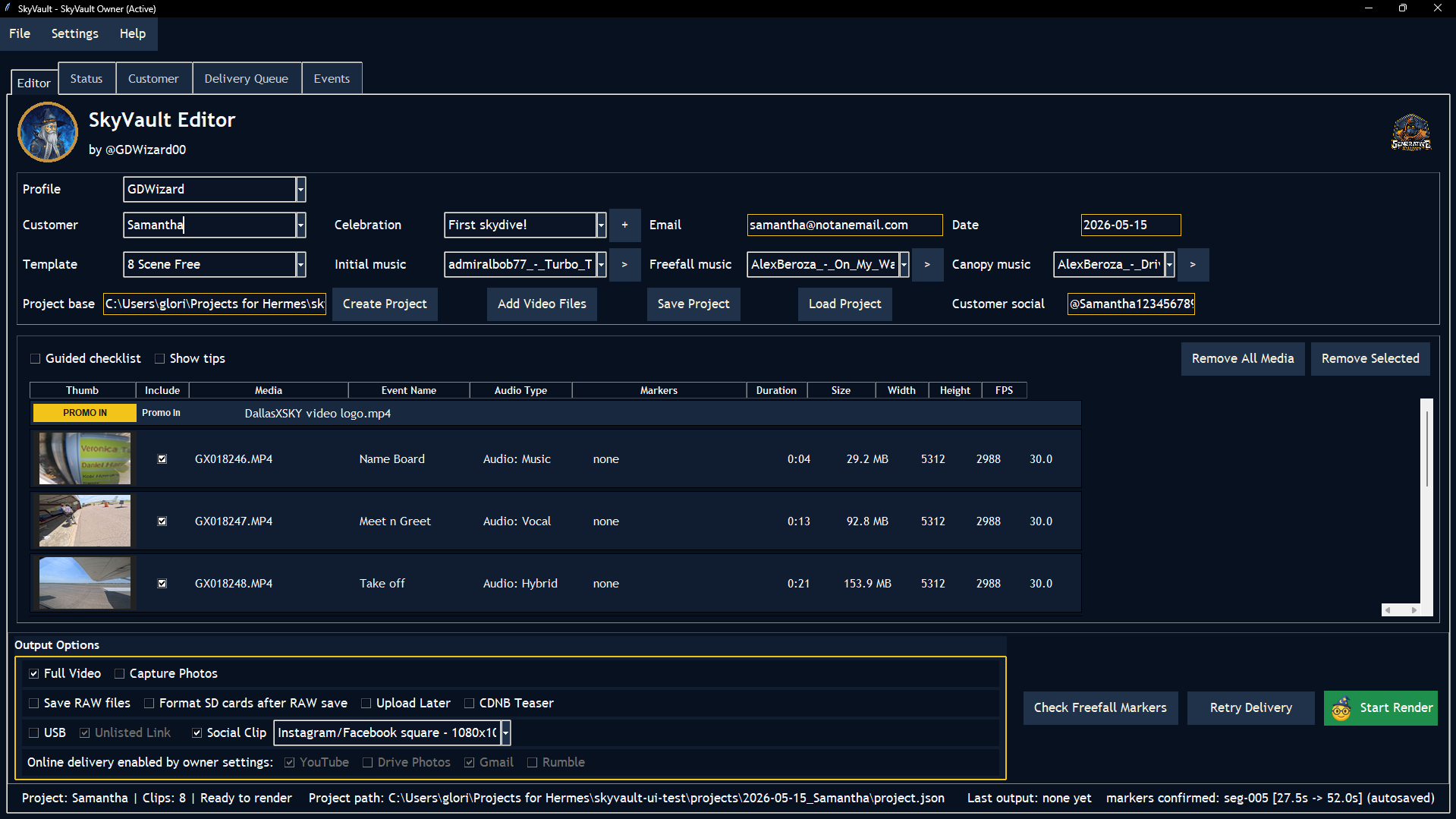
SkyVault editor output controls
Fast delivery

Finish the delivery from the customer project.

Send the video and photos through the selected service. If delivery fails, the job stays in the queue for review and retry.

SkyVault overlay configuration and preview
Branding and overlays

Set your brand once.

Choose the logo, watermark, placement and promotional clips your team should use on every job.
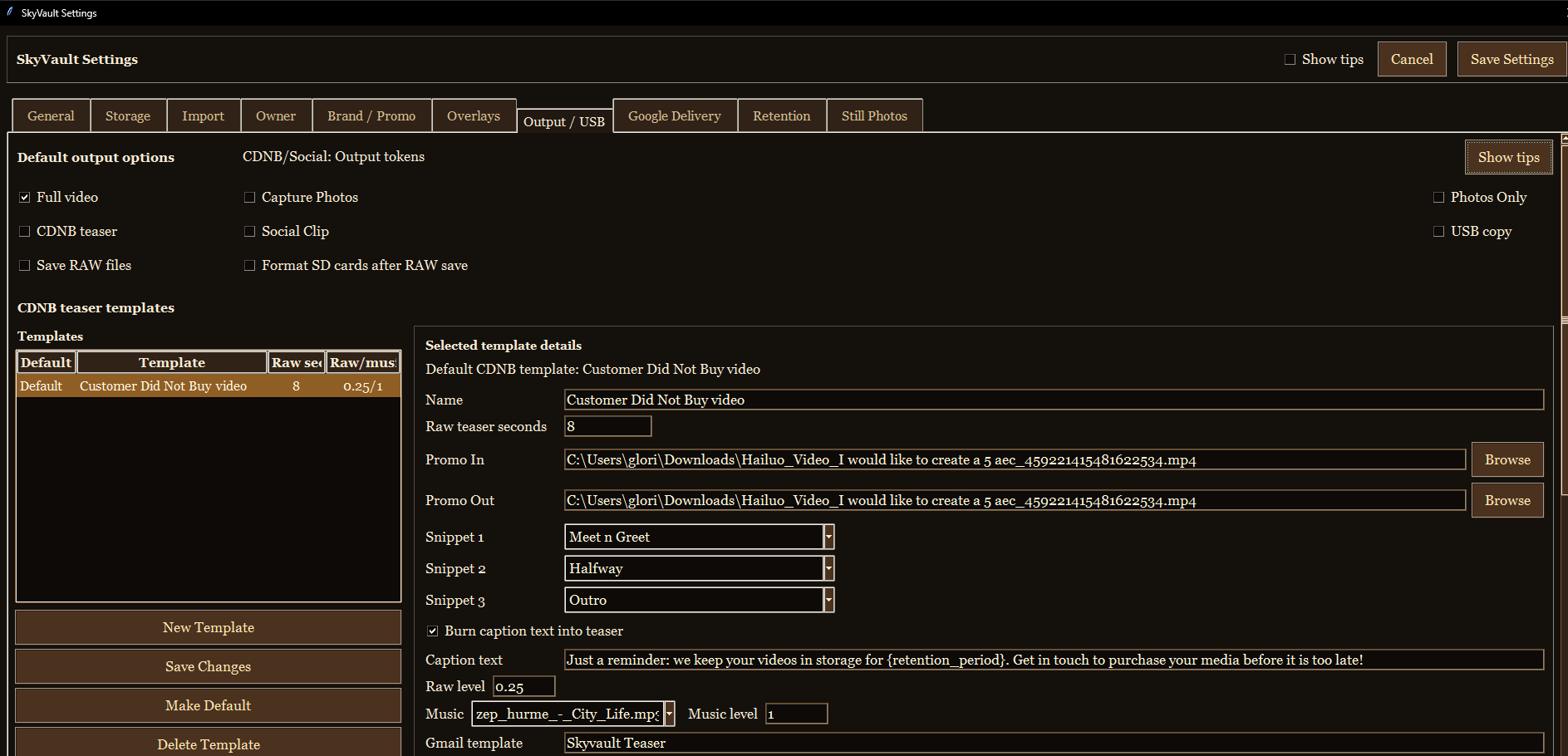
SkyVault owner settings
Customization depth

Deep owner control without making every operator an expert.

Owners can set profiles, templates, music, photo timing, retention, skins and defaults. Staff can use those settings without configuring every job.
SkyVault output controls
Revenue recovery

Sell the full package after the customer has gone home.

Send a short CDNB teaser to someone who did not buy on the day. Create a vertical Social Clip for customers who did.

Request an Editor demo
Service appreciation emblem with a parachute, shield, and star
Service appreciation

We proudly support those who serve.

Military members, veterans, and first responders are welcome to ask about our private service-appreciation discount.